
Calories from a photo
One photo of your plate and Kalo counts the calories
Kalo suggests what it is and how many calories it has. You adjust the portion and add it to your diary.
Get it free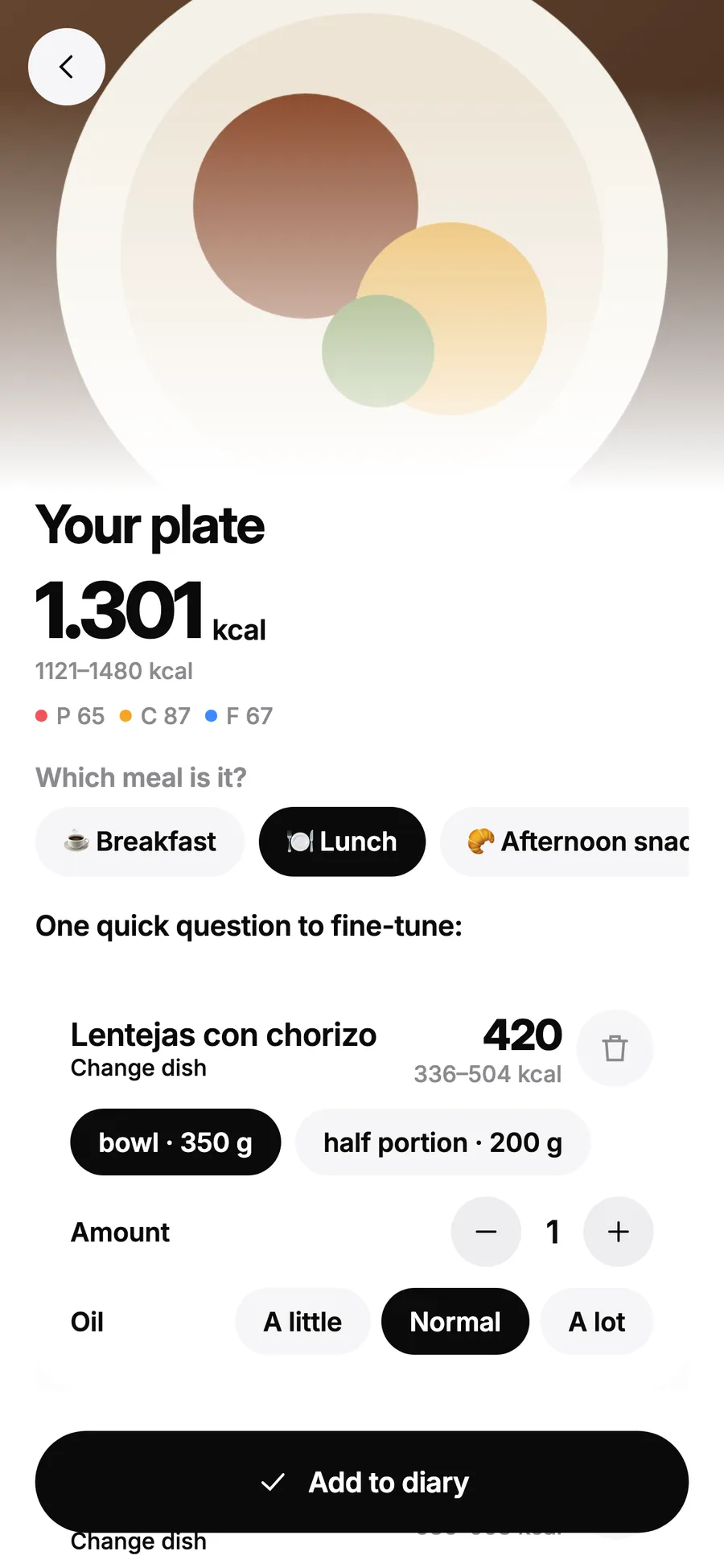
A range, not a magic number
Calories come as a range depending on the portion, because two identical plates never weigh the same.
Adjust before you save
Change the dish, the quantity, the portion and the oil. If needed, Kalo asks a quick question to fine-tune it.
Your photo isn't stored
It's analysed on our server to work out what it is and it isn't kept.
How it works
- Take a photo of your plate or pick one from the gallery.
- Check what Kalo suggests and adjust the portion.
- Add it to your breakfast, lunch, snack or dinner diary.
FAQ
How many photos can I take for free?
You can unlock photos by watching rewarded videos, up to 3 a day. With Premium you get 10 photos a day without videos.
Can I correct what Kalo suggests?
Yes. Before saving you can change the dish, the quantity, the portion and the oil.
What if the light is bad or it's a whole menu?
Try text: type “menu: lentils, steak with potatoes and flan” and Kalo works it out.
Count calories without the fuss
Free on Android. Unlimited text and voice; photos unlock with a video. Premium for €34.99 a year or €9.99 a month, with 10 photos a day and no ads.
Now in closed testing on Google Play. Three steps, five minutes:
- 1Join the Google groupsJoin both, so Play recognises you as a tester.testers-community group →milooptesters group →
- 2Turn on testingTap “Become a tester”.Become a tester →
- 3Install KaloFrom Google Play. Keep it installed for 14 days.Install from Google Play →
It can take a few minutes to activate after you join the group.
Rather wait for the launch?
Leave your email and we'll tell you the day Kalo is out on Google Play.