
Shared home
Your pet's care, with the whole home
Invite whoever cares with you and see who did what. No more “has anyone fed her?” texts.
Get it free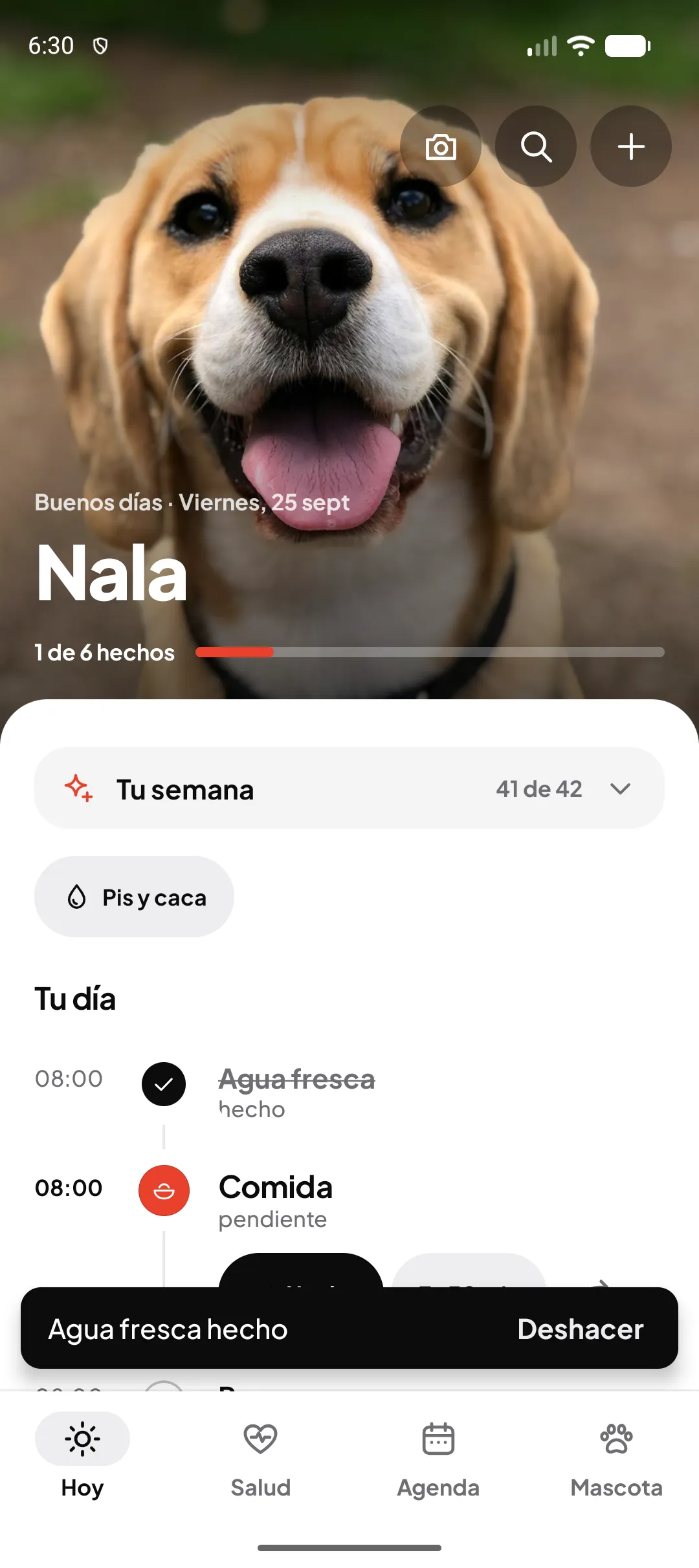
Invites with roles
From Pet › Home & family you invite people and give them a role: caregiver or view only.
See who did it
When someone marks a walk or a dose as done, everyone else sees it straight away, with their name.
Undo in one tap
Tapped it by mistake? Undo it straight away and nobody gets confused.
How it works
- Invite whoever cares with you from Home & family.
- Everyone sees the pet's day and marks what they do.
- With Miloop+ Family, everyone at home gets Miloop+.
FAQ
How many people can I invite?
On the free plan, one caregiver. With Miloop+ you can invite more, and with Miloop+ Family everyone in your home gets Miloop+.
Which roles are there?
Caregivers, who can mark tasks and log things, and viewers, who see the pet's day without changing anything.
Do others see what I mark straight away?
Yes. When someone marks a task as done, it syncs and everyone else sees it with their name.
Your pet, and your peace of mind
Free on Android. Miloop+ for those who want more.
Now available on Google Play
Get it free on Google PlayFree on Android. No card needed to start.